Quick start for SMS messaging
Install Ozeki NG SMS Gateway on Windows 11, Windows 10 or Windows Server to exploit the potential of mobile messaging in your Business!
Download
for Windows

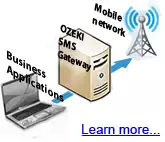
Use Ozeki NG SMS Gateway to connect your business application to the
mobile network.
CONNECT
Connect to the mobile network
Connect using a Modem
Connect using Android
Connect using SMPP
Connect using UCP
Connect using CIMD2
Connect using HTTP client
You can connect to multiple mobile networks in various ways
SERVICE PROVIDERS
Offer SMS service to customers
Ozeki NG is a great tool for providing SMS services!
Setup SMPP, HTTP, E-mail to SMS or SIM hosting services. Find out more...
Ozeki NG is a great tool for providing SMS services!
Setup SMPP, HTTP, E-mail to SMS or SIM hosting services. Find out more...
Service you can offer:
DEVELOPERS
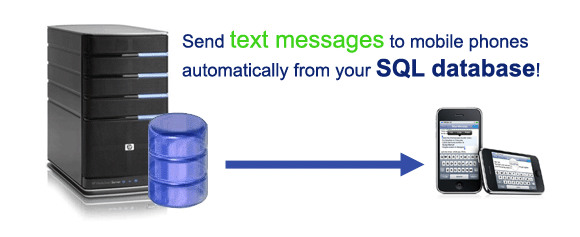
Send SMS from your database
SMS from MS SQL Server
SMS from MySQL
SMS from Oracle
SMS from MS Access
SMS from Postgres
SMS from Sybase
Write software using examples
JAVA sms example
PHP SMS example
C# SMS example
VB.net SMS example
ASP SMS example
Delphi SMS example
C++ SMS example
SUPERIOR PERFORMANCE and RELIABILITY
500 SMS messages / second (sending and receiving)
100 simultaneously connected applications
64+ concurrent SMSC connections
Support for multi core and multiprocessor systems
Support for 32bit and 64bit architectures
Cloud services are supported (AWS, Azure, Google Cloud, etc)
Local virtual machines are supported (VMWare, KVM, etc)
Concerning reliability the software Works 24/7. It manages network link failures and SMS service provider failures with automatic reconnect capability, backup routing and fail-safe load balancing. Message loop protection is also included to avoid threats caused by autoresponding mobile messaging services. For high-availability, an Ozeki NG SMS Gateway cluster can be setup with two or more nodes.
HOW TO SETUP AND SEND YOUR FIRST SMS
Check out the following video presentation to see how you can setup a fully functional SMS system in less than 5 minutes.
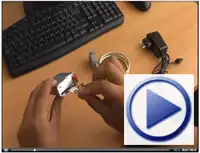
Install Ozeki NG SMS Gateway to get the highest performance, availability and security to run your most demanding SMS applications.
Concerning reliability the software Works 24/7. It manages network link failures and SMS service provider failures with automatic reconnect capability, backup routing and fail-safe load balancing. Message loop protection is also included to avoid threats caused by autoresponding mobile messaging services. For high-availability, an Ozeki NG SMS Gateway cluster can be setup with two or more nodes.
HOW TO SETUP AND SEND YOUR FIRST SMS
Check out the following video presentation to see how you can setup a fully functional SMS system in less than 5 minutes.
Video presentation outline:
Setup a GSM modem
Configure Ozeki NG
Send your first SMS
Contact us with questions:
Sales: info@ozekisms.com
Support: support@ozekisms.com
Contact us with questions:
Sales: info@ozekisms.com
Support: support@ozekisms.com
MOST COMMON WAYS TO CONNECT
To build an SMS solution, you need to find a way to connect your system to the mobile network. Ozeki NG SMS Gateway offers several connection methods.
The most common options are:

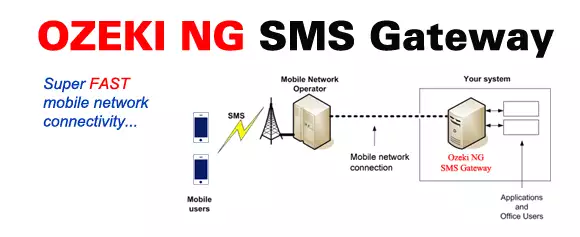
Option 1: Connect your system directly to the Short Message Service Centre (SMSC) of
a mobile network operator through the Internet. A great choice for businesses sending/receiving more than
5000 SMS/day or for SMS Service providers. High speed IP SMS connections (SMPP, UCP, CIMD2) managed
by Ozeki NG SMS Gateway can handle several millions of messages per day.
For this option, you need to contact your mobile network operator (T-mobile, Sprint, etc) and ask for an SMPP SMS Service account.


Option 3: Connect an Android Mobile phone through Wifi
to Ozeki NG SMS Gateway installed on your Windows PC. Great choice for product
evaluation and SMS volumes less than 1000 SMS/day.