
Telecom Serbia
This article shows you how to connect Ozeki SMS Gateway to Telecom Serbia using the Orion Telekom SMS express API. It is written for system administrators and developers who want to send and receive SMS messages through a Serbian mobile network from their own applications.
What is Telecom Serbia SMS connection?
The Telecom Serbia SMS connection is an Orion Telekom SMS express API connection in Ozeki SMS Gateway. It lets you send and receive text messages through a mobile network in Serbia directly from your computer or server. The connection uses HTTP POST requests for outgoing messages and a built-in webserver to accept incoming messages and delivery reports.
Steps to follow
We assume Ozeki NG SMS Gateway is already installed on your system.
Video tutorial
The following video shows how to connect Ozeki SMS Gateway to Telecom Serbia step-by-step.
Step 1 - Add a new service provider
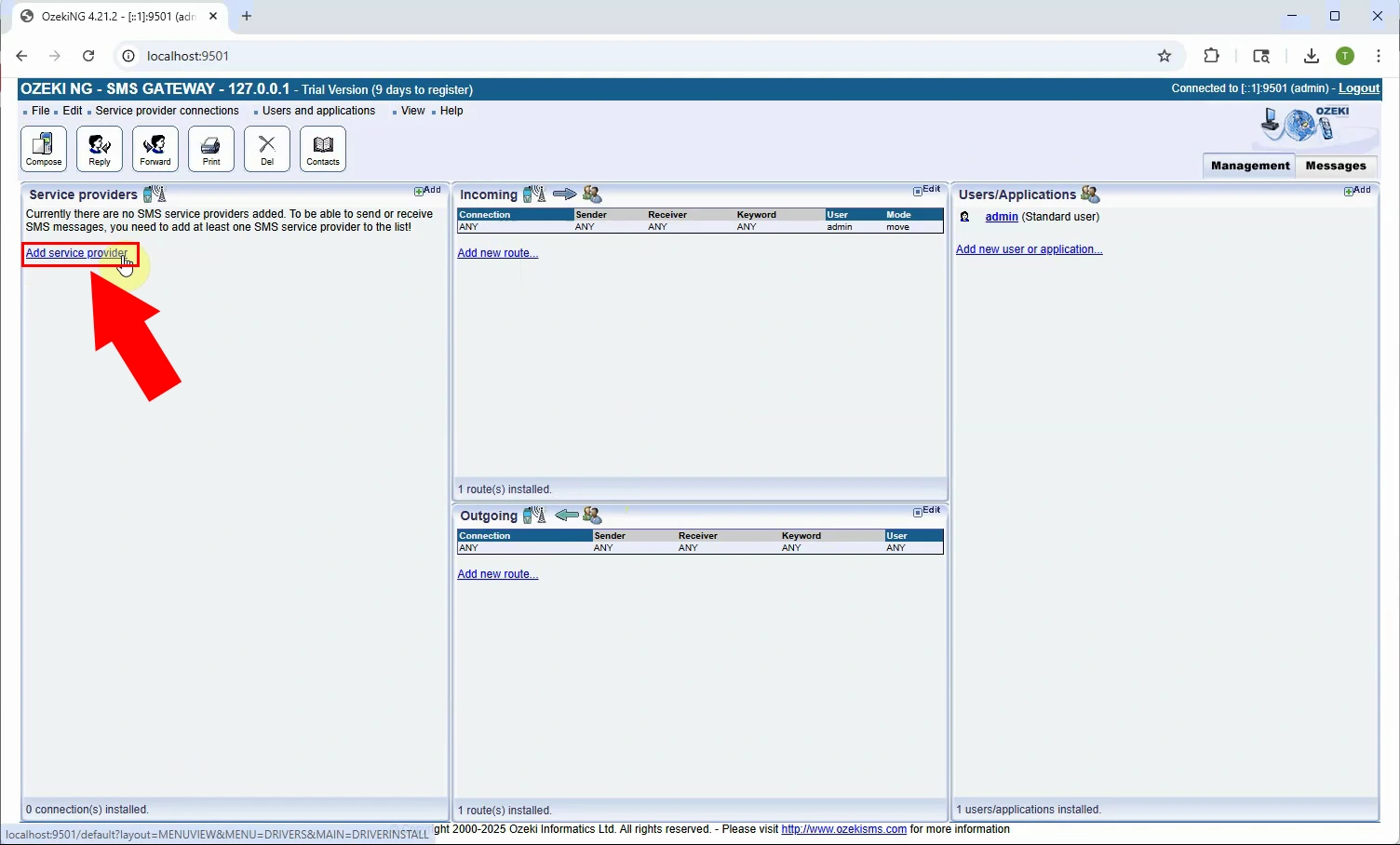
Open Ozeki SMS Gateway and locate the Service providers panel on the left side of the Management Console. Click Add service provider to start the setup process. This opens the list of available service provider connections, where you can browse and select the one that matches your network (Figure 1).
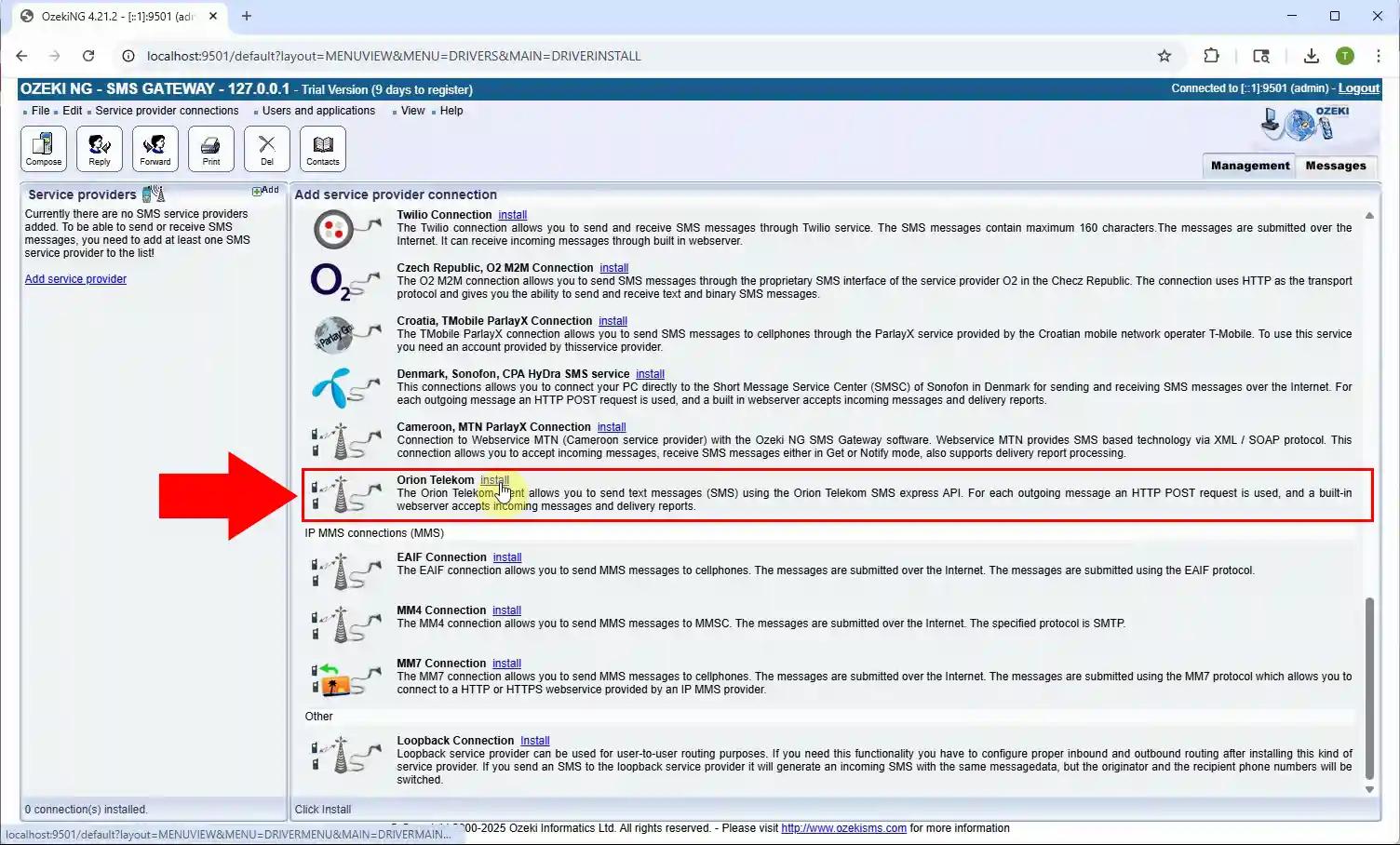
Locate the Orion Telekom entry under the IP SMS connections list and click the install link next to it (Figure 2). This connection allows you to send text messages using the Orion Telekom SMS express API.
Step 2 - Configure connection
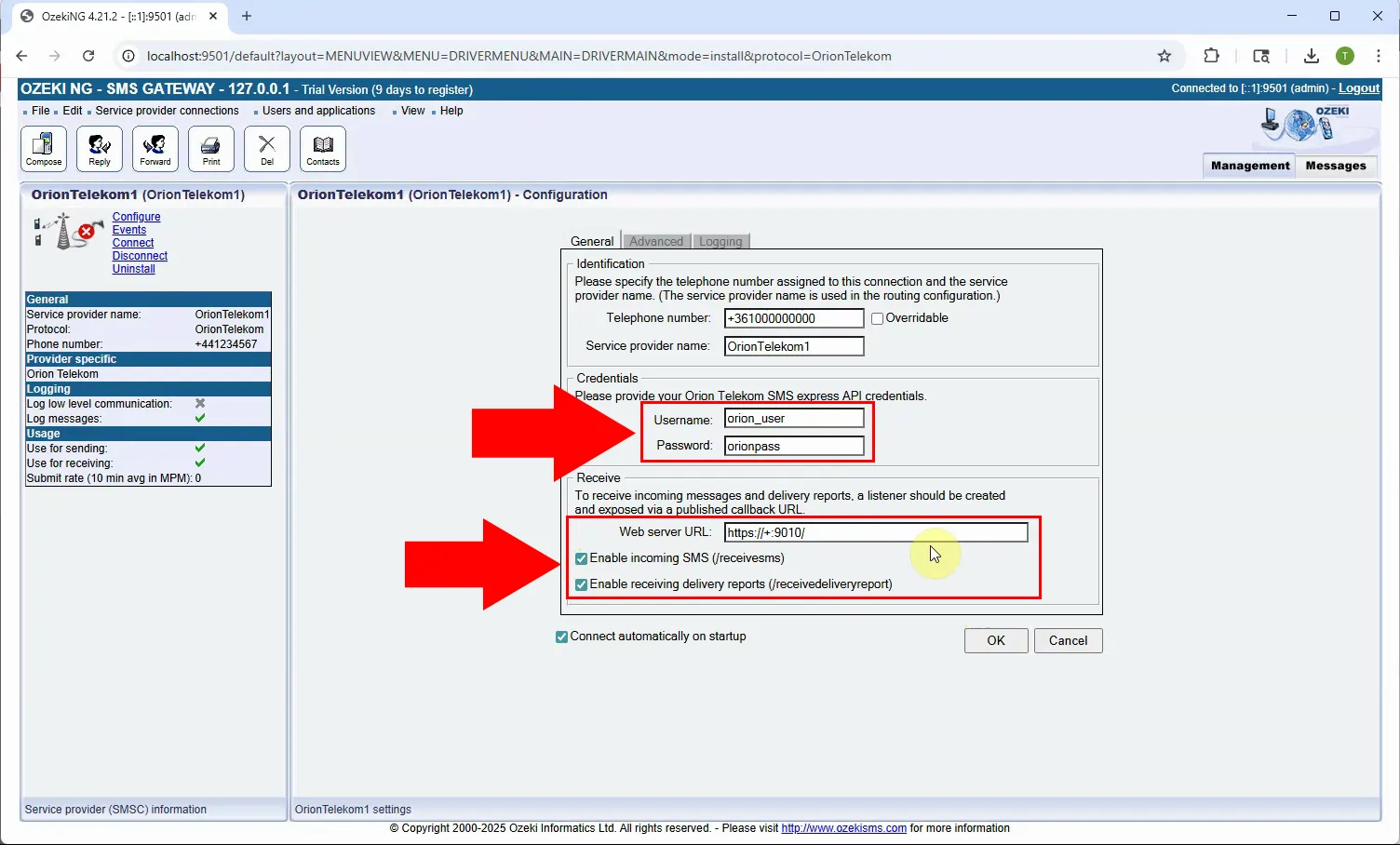
On the configuration page, enter the username and password provided by Orion Telekom in the Credentials section. Check the Enable incoming SMS and Enable receiving delivery reports checkboxes in the Receive section if you want to receive messages and delivery reports through the built-in webserver. Once all fields are filled in, click OK to save the connection (Figure 3).
Step 3 - Verify the connection
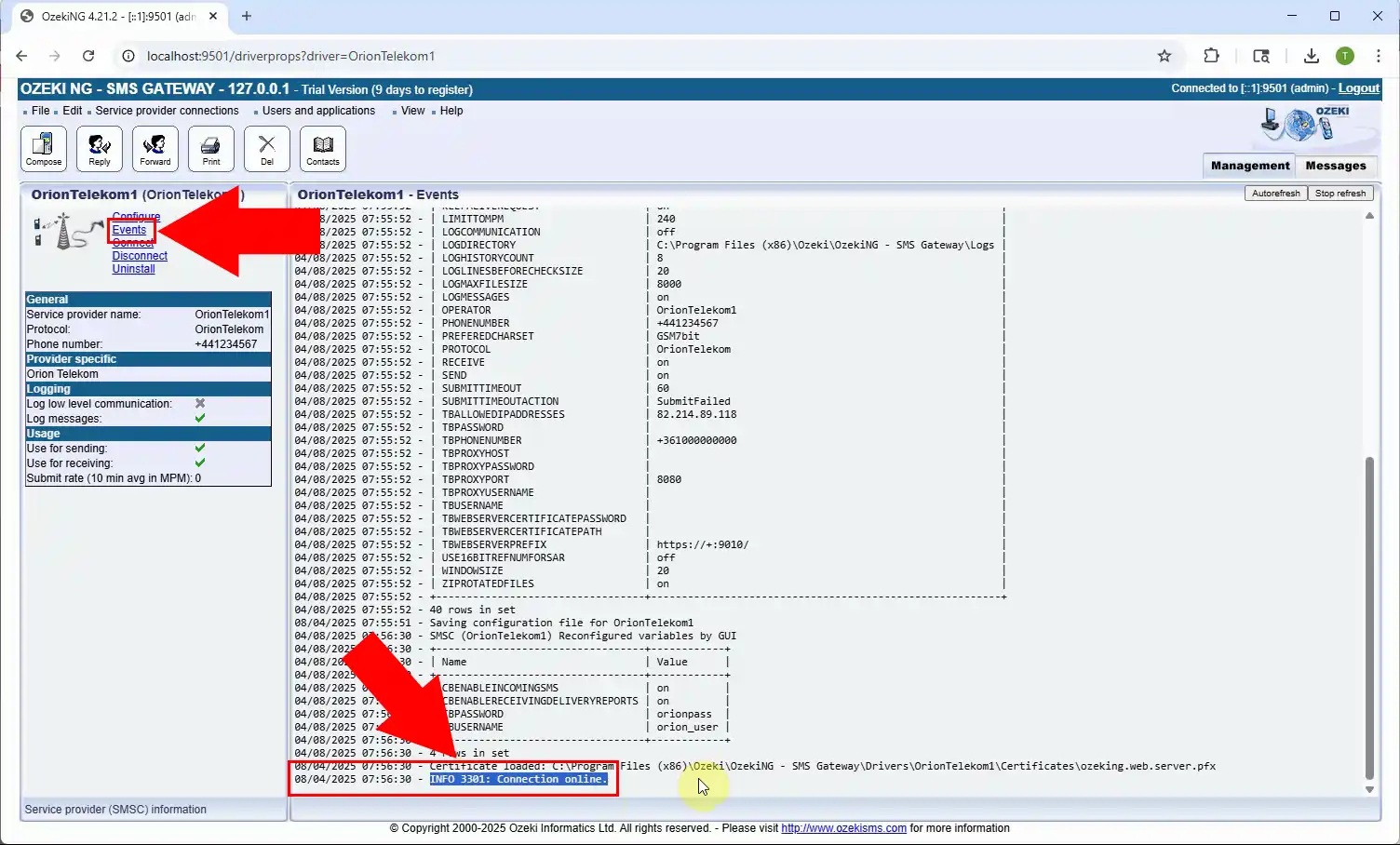
Open the Events log of the OrionTelekom connection to check the connection status. This log records every connection attempt along with any errors that may occur during the process. Locate the "Connection online" entry in the log to confirm that Ozeki SMS Gateway has connected to the Orion Telekom SMS express API (Figure 4).
Summary
You have now connected Ozeki SMS Gateway to Telecom Serbia through the Orion Telekom SMS express API. With the connection online, you can start sending and receiving SMS messages directly from your own applications. Ozeki SMS Gateway also supports many other SMS service providers, so you can extend your messaging setup as your needs grow.