Manual product activation
The offline SMS Gateway installation also requires software
license registration. While the platform offers a 20-day trial
period by default, product activation is required to unlock the
full enterprise SMS Gateway version. For IT administrators managing on-premises
SMS infrastructure or air-gapped servers, standard online activation
is often not possible.
This guide will walk you through the manual product activation process
for Ozeki NG SMS Gateway. Learn how to securely generate an offline SMS software
activation code using a separate workstation connected to the internet,
what information you will need, and how to apply your SMS Gateway
license and unlock all licensed features without compromising
network security.
The SMS Gateway activation process
To unlock the full version of Ozeki NG SMS Gateway, you must first buy a license and then activate it. After you complete the purchase, Ozeki NG SMS Gateway will email you a serial number. Without this activation, the software runs only in a 20-day trial mode; no activation is needed for the trial. Manual product activation allows you to activate Ozeki NG SMS Gateway even when there is no internet access on the SMS Gateway server machine.
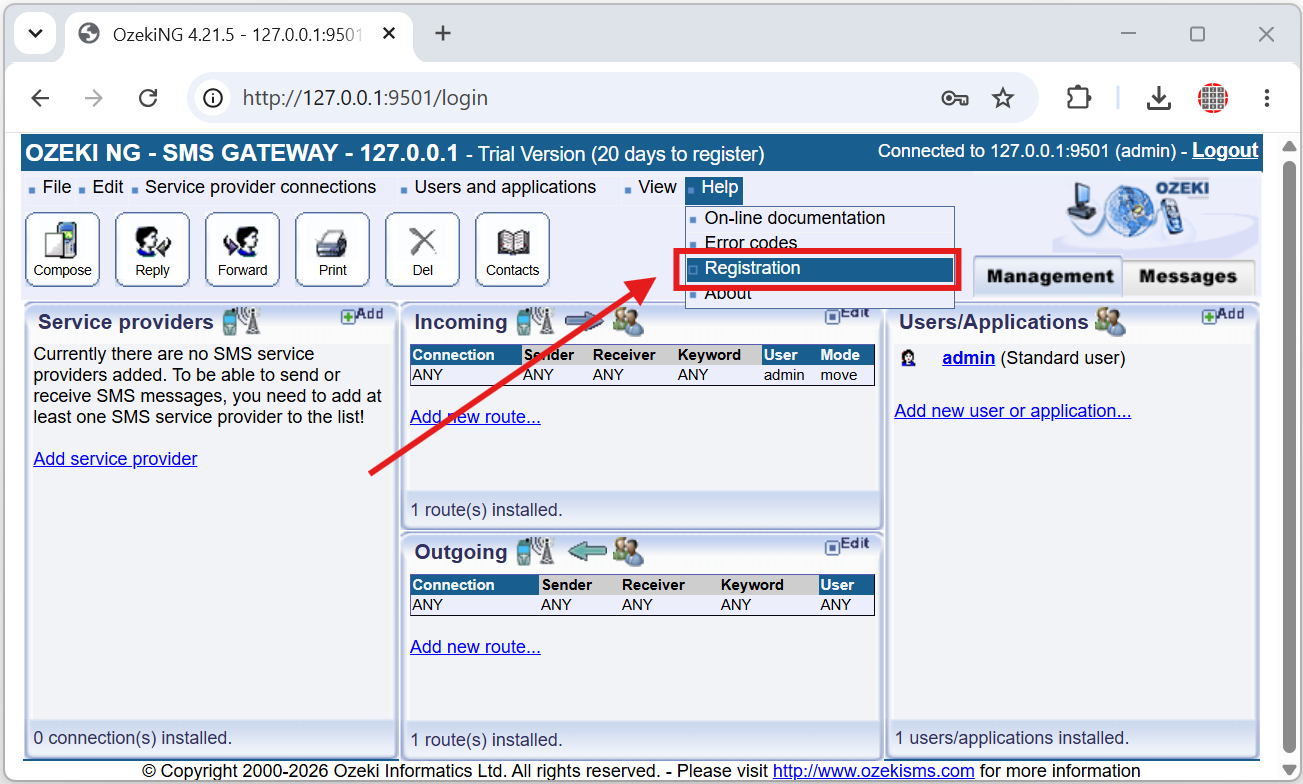
To manually activate Ozeki NG SMS Gateway, open the application, go to the top menu, click Help, then select the Registration option to display the activation window.
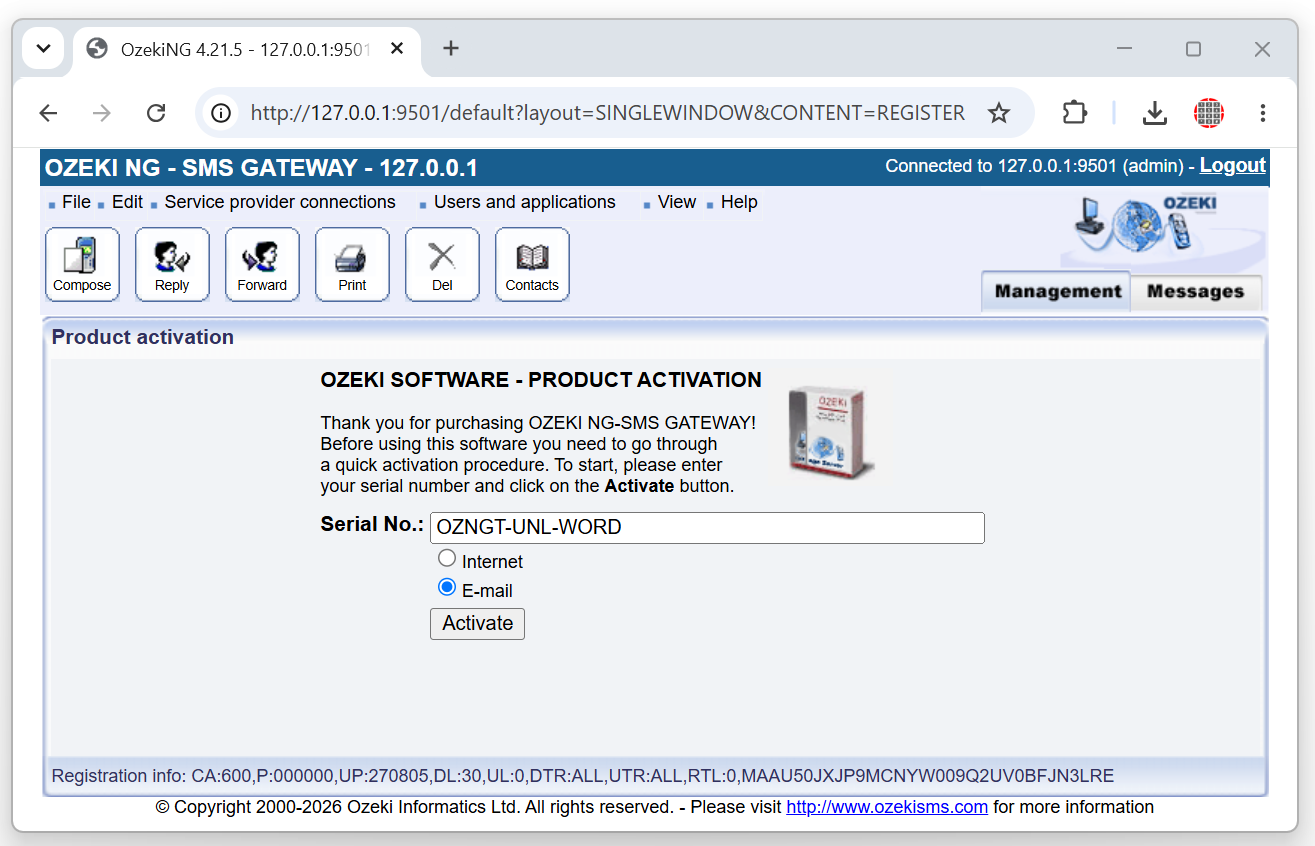
In the activation window, choose the Email activation option to switch from online activation to the offline/manual process, which will allow you to use an activation code obtained from the Ozeki SMS software activation website.
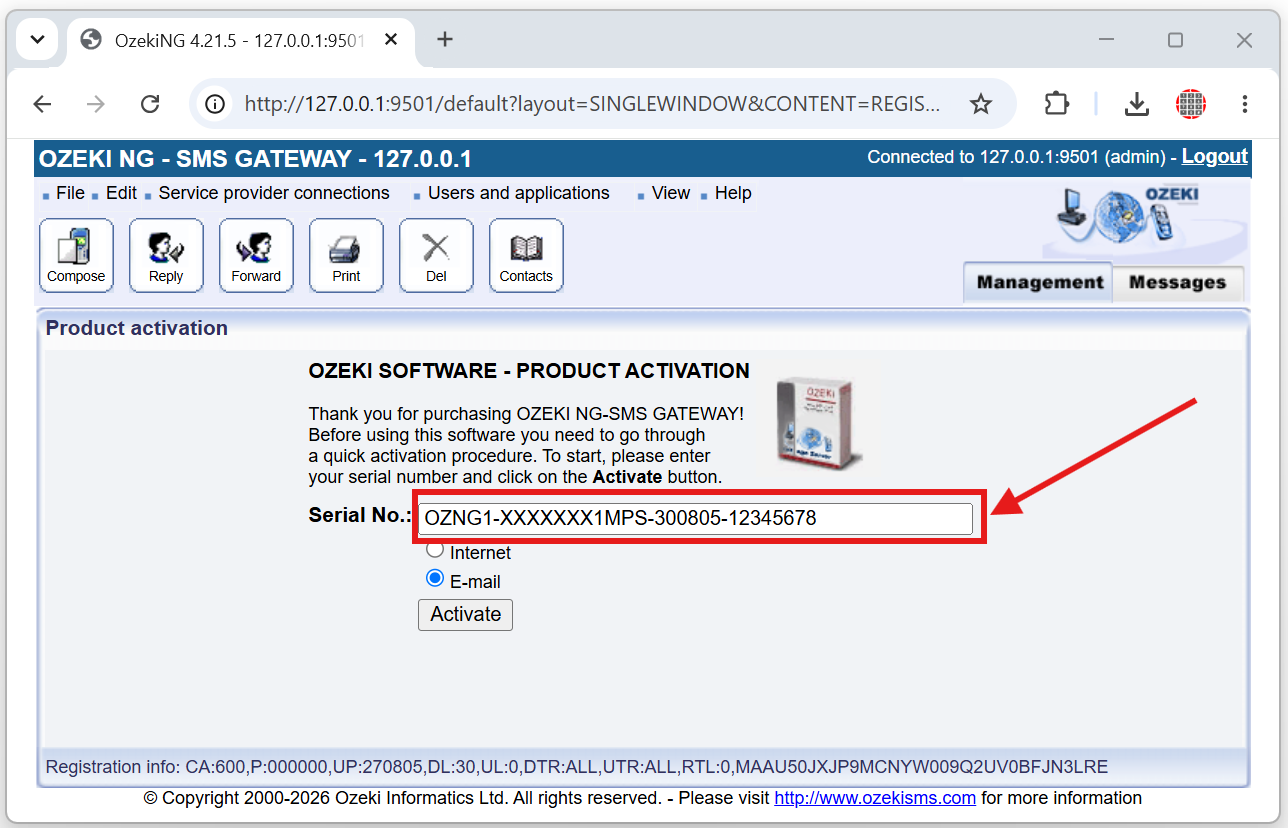
Enter your sms server software license code into the Serial No: field in the activation window and confirm it so the system can generate and display your System ID, which is required for the manual activation process.
Open a web browser and navigate to https://activation.ozeki.hu to reach the Ozeki activation portal, which is used to generate an activation code based on your sms gateway software Serial number and System ID.
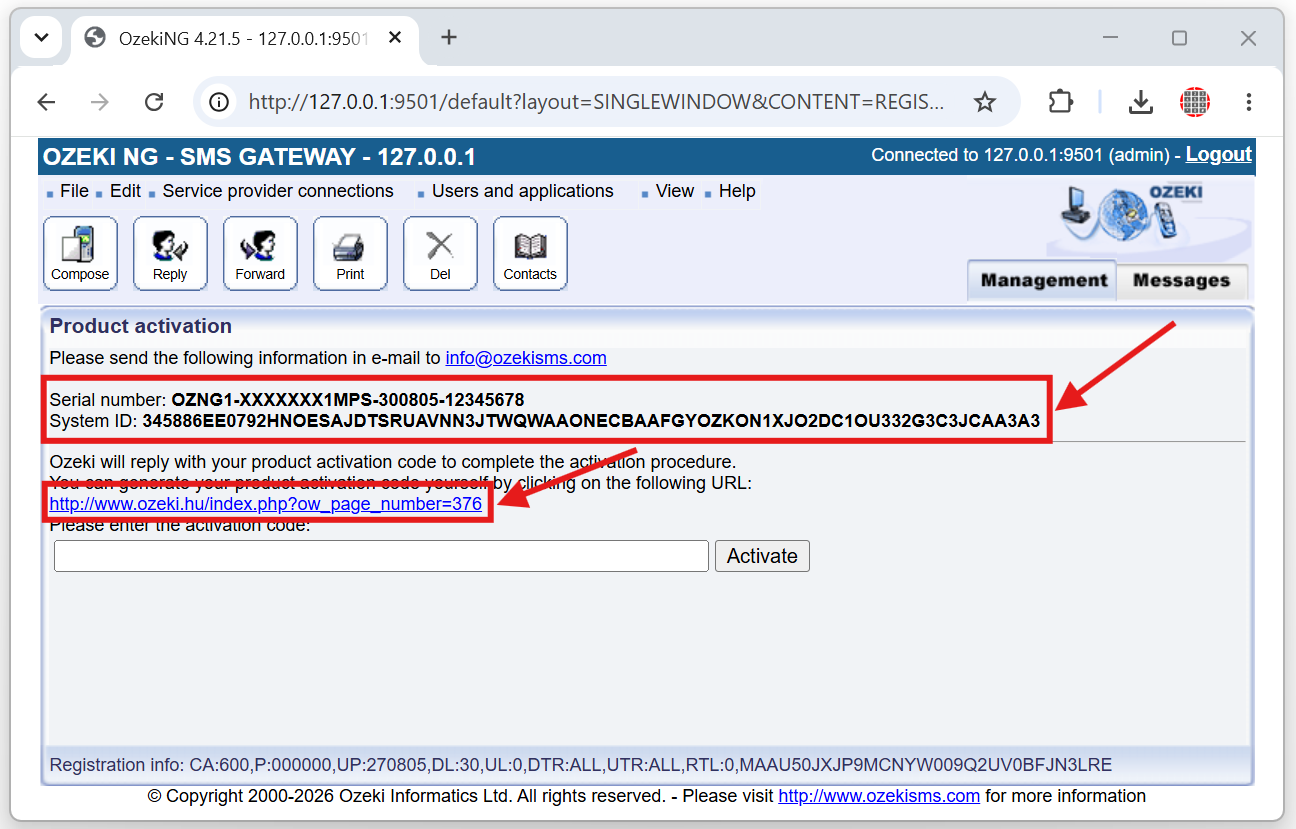
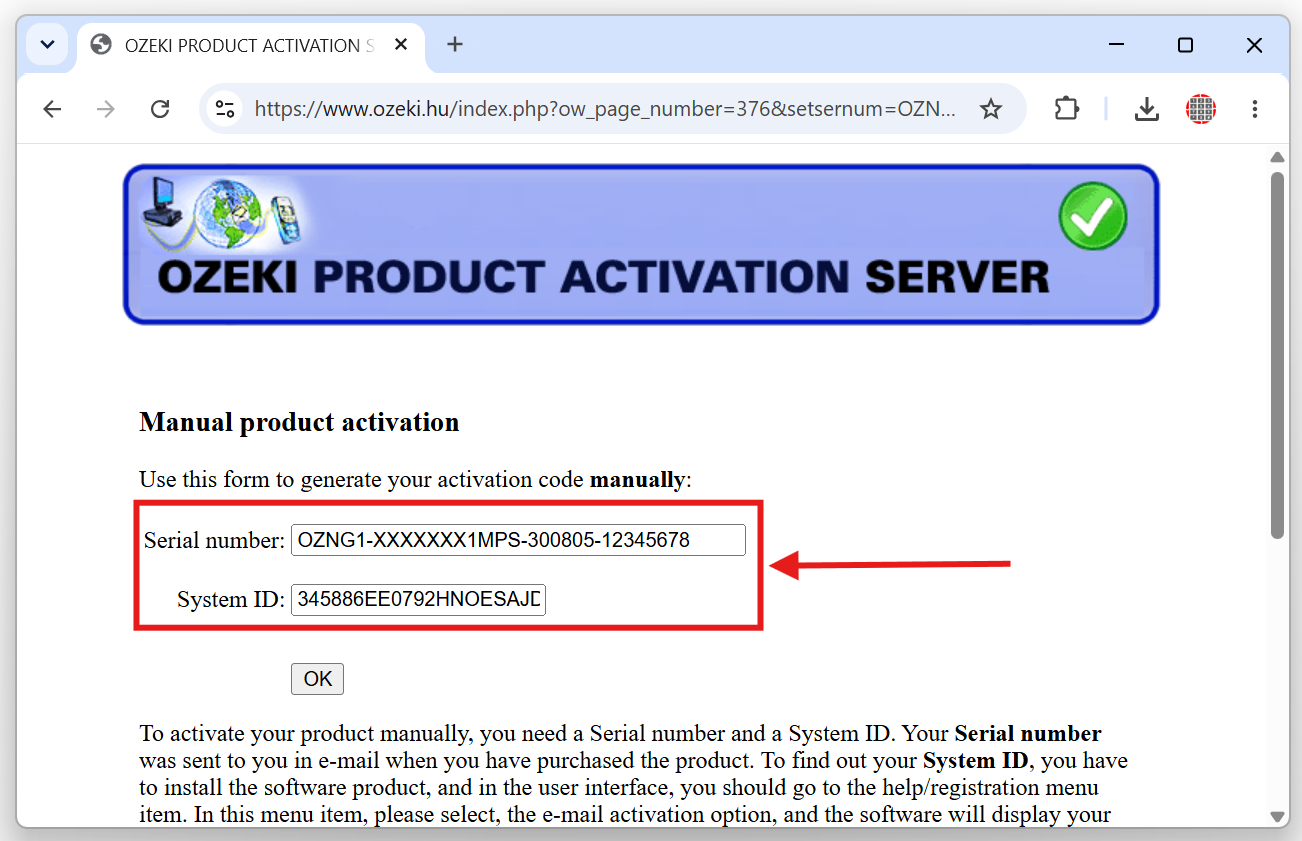
On the SMS gateway software activation website, type your Serial number and the System ID shown in the Ozeki NG SMS Gateway activation window (Figure 4), then submit the form to request the corresponding activation code.
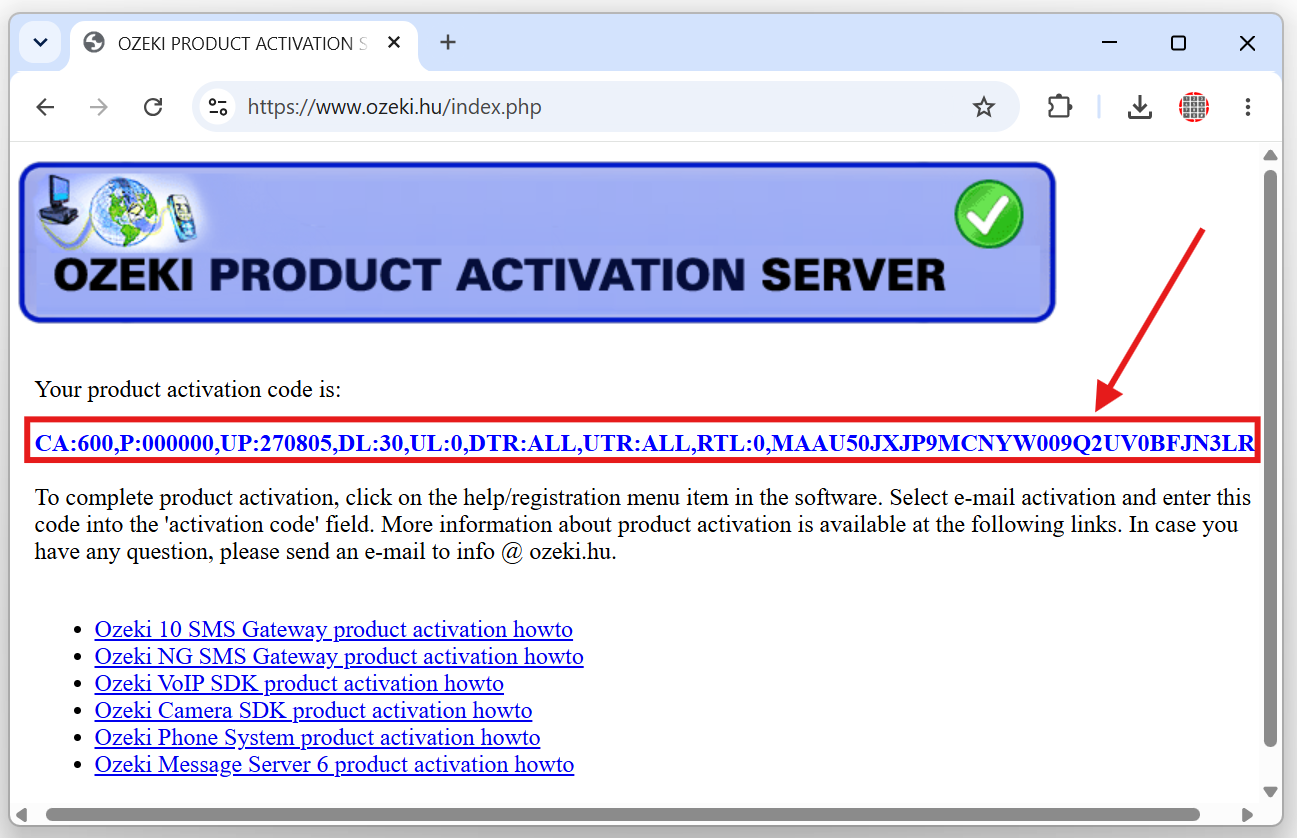
Select the on premise sms software activation code displayed on the activation webpage, in Your product activation code: text carefully so that the entire code is highlighted. Then copy this sms gateway activation code from your browser.
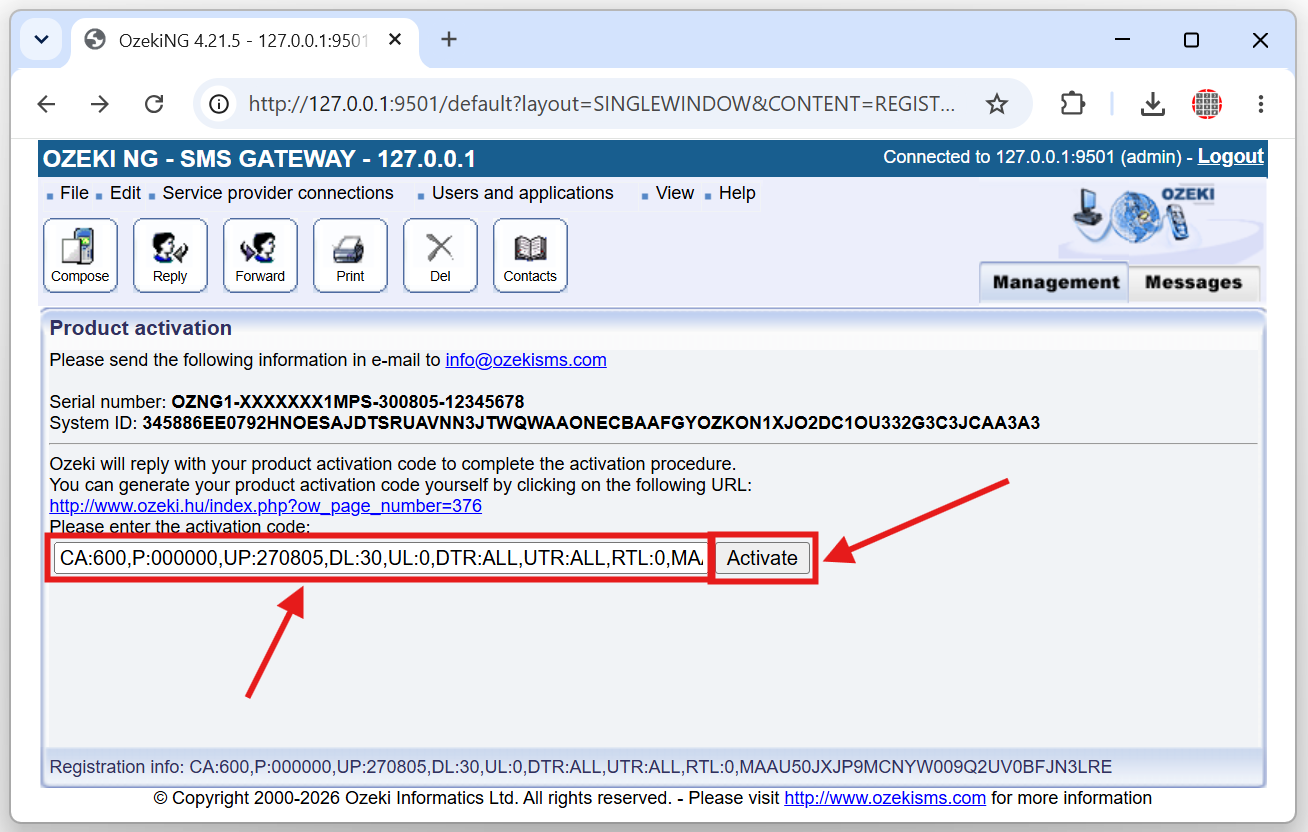
Return to the Ozeki NG SMS Gateway server activation window, and paste copied sms server activation code into the activation code field, and click the Activate button to complete the SMS software activation process.
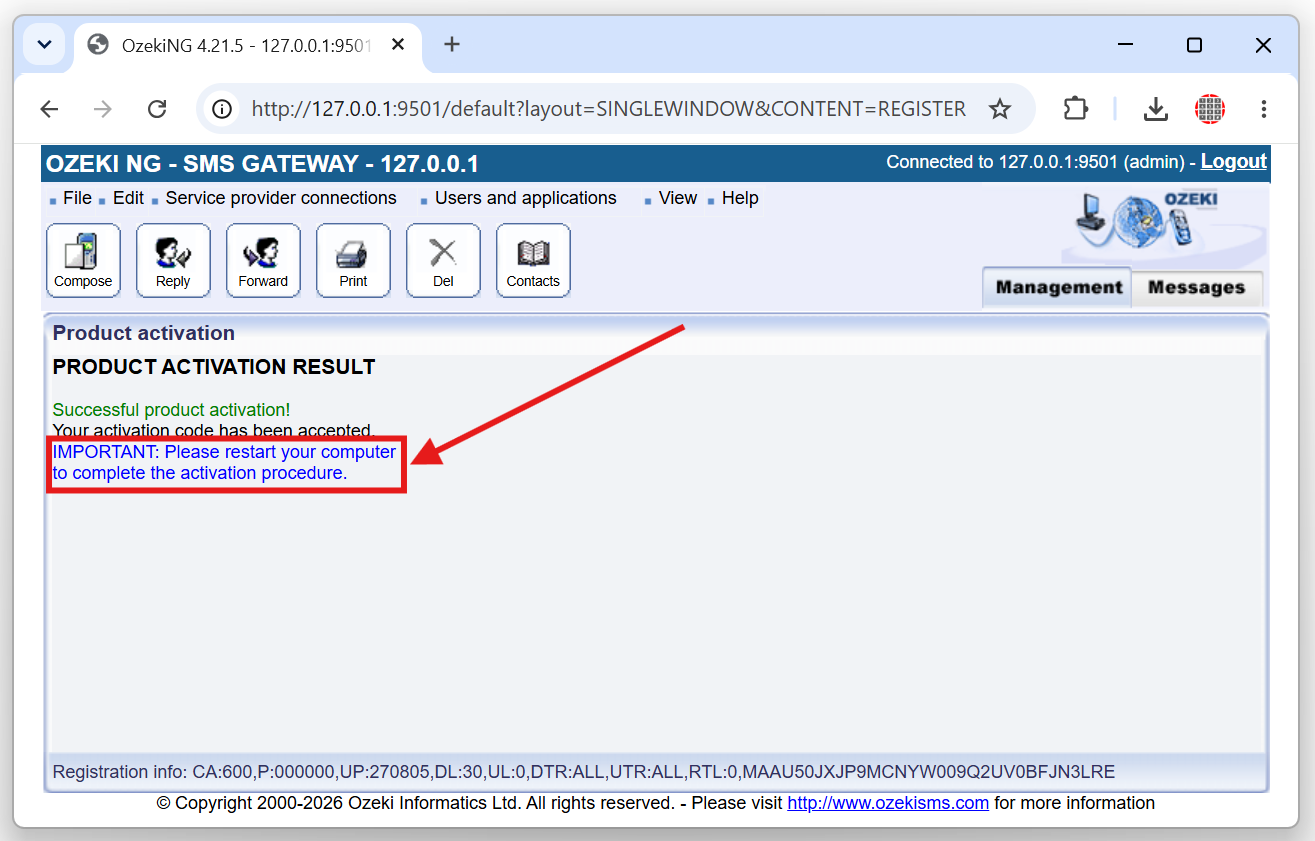
After submitting the sms gateway server software activation code, verify that a green success message is displayed, confirming that the product has been activated and that all licensed features are now available for use.
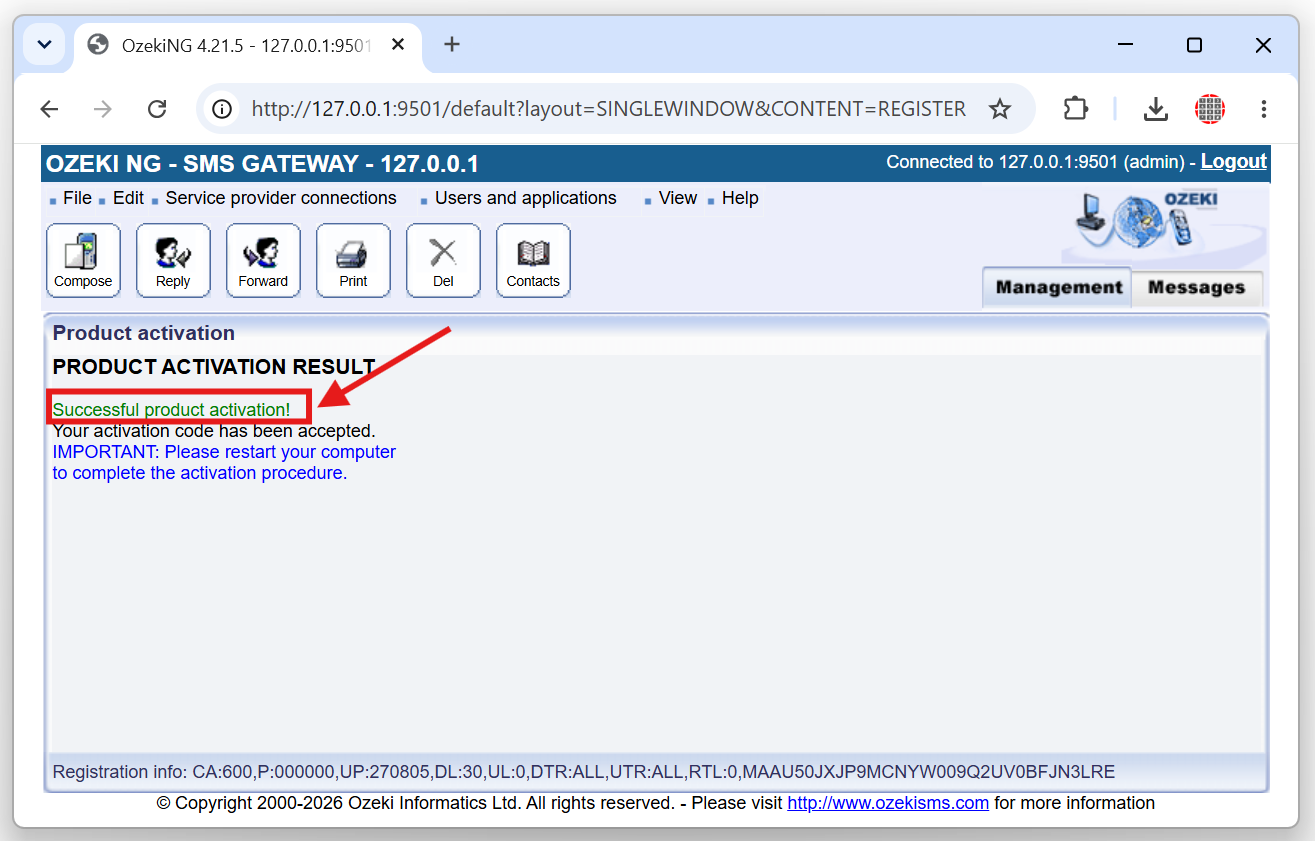
The last step is to restart the newly activated SMS Gateway software. Without a restart your SMS Gateway Server, test messages will still appear when sending or receiving SMS.