

 Quick start
  Download
  Manual
  How to buy
  Contact
  Sign in
 HTTPS server configuration
The HTTP server connection option allows you to receive incoming SMS messages or SMS delivery reports with http requests through the https protocol. To configure this option you need to set a base URL for the listening webserver with the https prefix (Figure 1) and you must configure a server certificate.
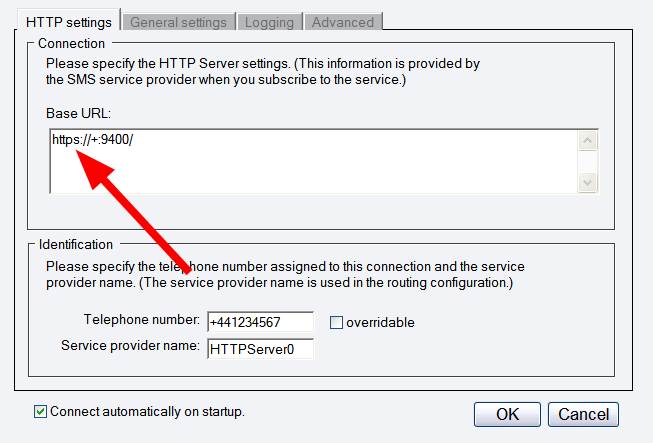
You can configure Server Certificates and other listener options by using HttpCfg.exe on Windows XP and Windows 2003 or netsh tool on Windows Vista. The httpcfg.exe executable is shipped with Windows Server 2003. For Windows XP SP2 it can be downloaded from "Windows XP SP2 Support Tools for Advanced Users".
The following webpage gives information on how you can configure a server certificate for a port: http://msdn.microsoft.com/en-us/library/ms733791.aspx.More information