

 Quick start
  Download
  Manual
  How to buy
  Contact
  Sign in
 How to send SMS text messages to contact groups
On this page you will find solutions on how to send SMS text messages to contact groups using the various sending methods with Ozeki NG SMS Gateway.
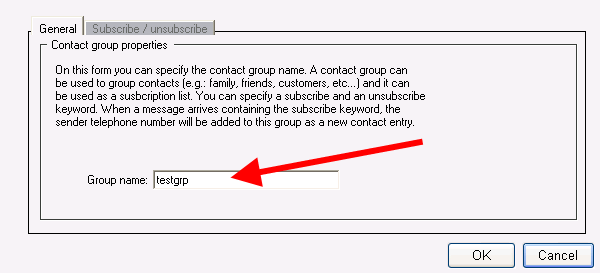
For demonstration I have created a contact group called testgrp in Ozeki NG SMS Gateway (Figure 1).
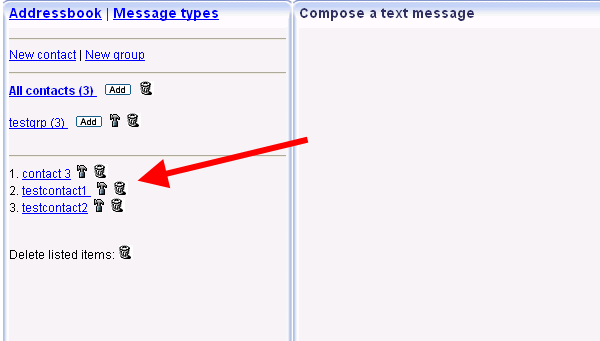
I have created three contacts in the created group (testcontact1, testcontact2, contact 3) (Figure 2).
Built-in SMTP server
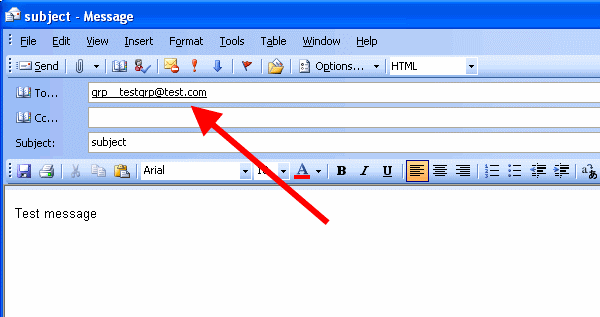
If you want to send messages to the built-in SMTP server you
need to specify the recipient in the following form:
grp__groupname@domainname (Please note that there are two underscores
after grp keyword in the recipient!)
In this example: grp__testgrp@test.com
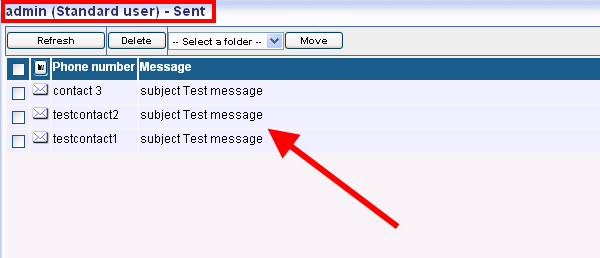
On Figure 4 you can see that Ozeki NG SMS Gateway has sent out the messages to the contacts of the contact group.
Web GUI
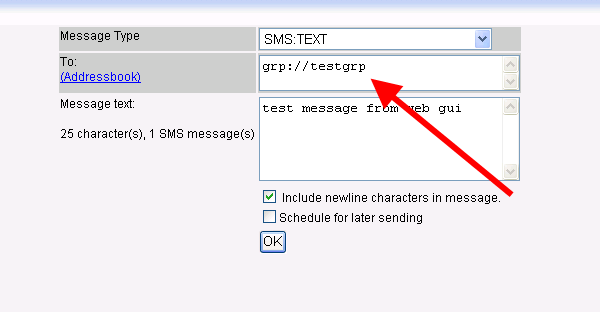
To send SMS messages from web GUI, you need to specify the
recipient as grp://groupname (Figure 5).
In this example it is grp://testgrp.
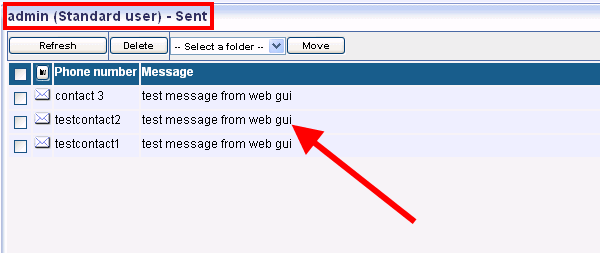
On Figure 6 you can see that the message has been sent to the contact group.
Excel client
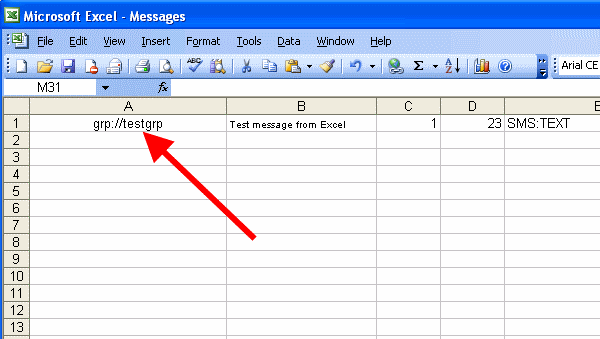
In Excel you need to define the recipient in column A as grp://groupname (Figure 7).
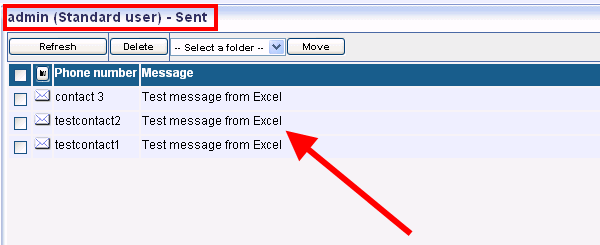
On Figure 8 you can see that Ozeki NG SMS Gateway has sent out the message to the contact group.
Database user
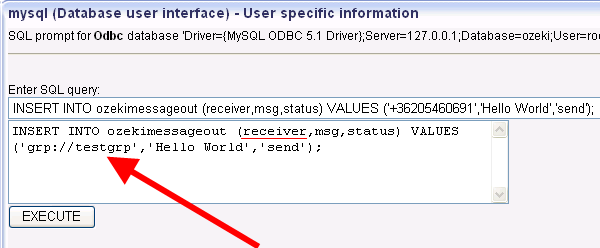
In database user you need to specify the recipient in the following form: grp://groupname in the receiver field (Figure 9).
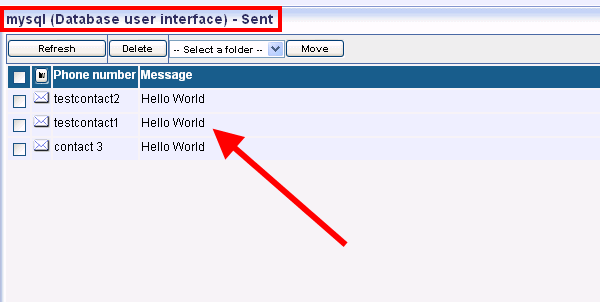
On Figure 10 you can see that Ozeki NG SMS Gateway has sent out the message to the contacts.
HTTP API
To send SMS message from HTTP API to contact groups you need to enter the
recipient after recipient= section of the script.
http://127.0.0.1:9501/api?action=sendmessage&username=admin&password=abc123&recipient=grp://testgrp&messagetype=SMS:TEXT&messagedata=Hello+Worldrecipient=grp://testgrp
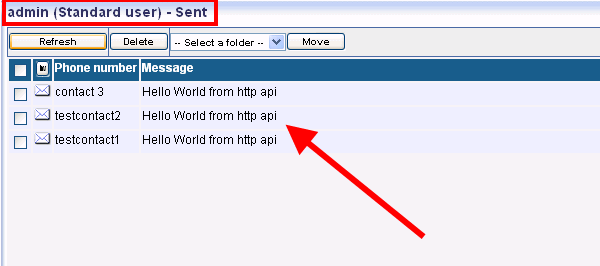
On Figure 11 you can see the sent message from HTTP API.
More information