

 Quick start
  Download
  Manual
  How to buy
  Contact
  Sign in
 How to switch from File to Database
In this brief overview you can read what you need to do if you have stored messages in a file and now you wish to switch to database.
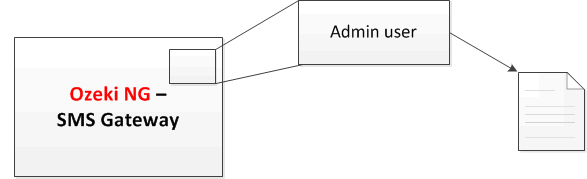
By default, messages of all users are stored in a file. These files are stored in the folders of users (for example, the messages of user John are also stored in file) (Figure 1).
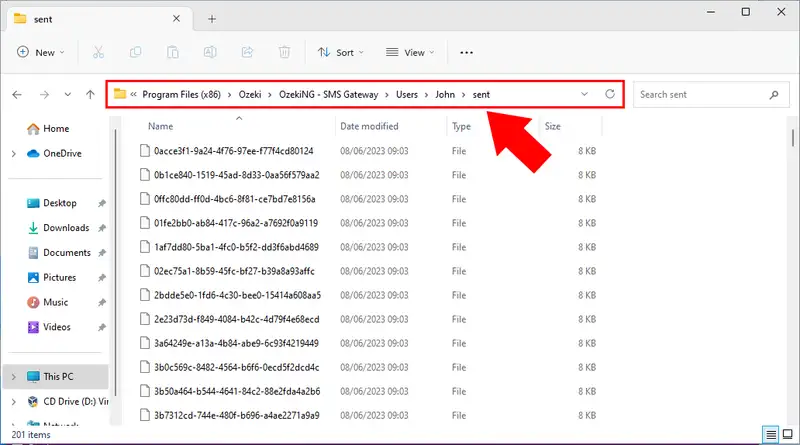
On Figure 2 you can see the sent messages of user John stored in file. The file names of these messages are their GUID.
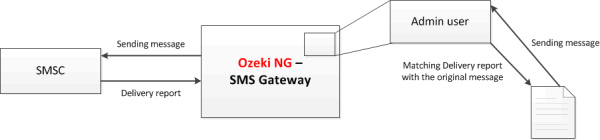
If user John sends out messages, sent messages will be stored in file. Then messages are forwarded to the SMSC (SMS center) that returns a delivery report about messages. These delivery reports will be matched with the messages stored in the file (Figure 3).
However, files are easy to work with, if Ozeki NG SMS Gateway needs to process great numbers of messages the system can slow down because of the hard disc usage. Since Ozeki NG SMS Gateway stores messages in 7 Kb files, hard disc is engaged to a great extent.
Switch to database
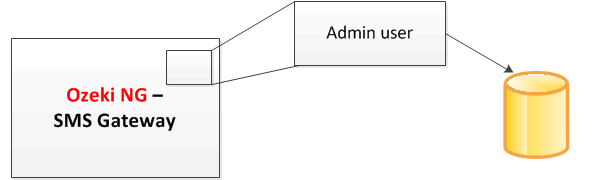
This situation can be avoided by switching to database. Practically it means that messages will be stored in a database instead of files that will ensure a faster system (Figure 4).
In case of sending messages, messages will be stored in the database and the returned delivery reports will be matched the original messages stored in the database (Figure 5).
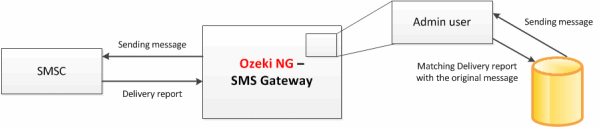
Now if you stored your messages in file and switch to database problems can occur deriving from the fact that there can still be messages stored in the file to which delivery reports have not been returned yet. After switching to database, delivery reports will still be returned to messages that have been stored in file. But since the storage in file option is disabled, Ozeki NG SMS Gateway will only look for original messages in the database (and not in file any more). So if there is a delivery report that is returned for a non-existing message (messages that were originally stored in file) the following error message will appear:
ERROR 2202:
| Cannot find corresponding envelope for incoming delivery report in sent items. Missing envelope ID: msgID |
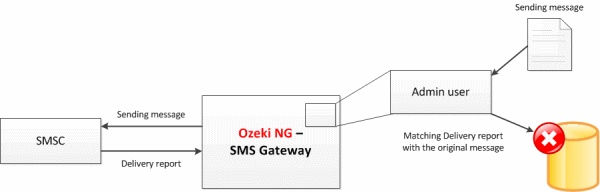
To solve this issue you can use Message importer that will allow you to import messages from file to database. Therefore, the system will be able to match the delivery reports with messages that have already been imported into the database.
FAQs
Can I create reports and statistics from the data of sent messages?
By enabling SQL logging, you gain the ability to store all messages in a database. This opens the door to crafting insightful reports and statistics using SQL queries.
More information