

 Quick start
  Download
  Manual
  How to buy
  Contact
  Sign in
 International/Unicode characters with MSSQL
This page explains in details how you can send international characters with Ozeki NG SMS Gateway in MSSQL. You will find how to configure an existing database to be able to send international characters and how to create a new database that supports Unicode characters.
Create new MSSQL database table
If you use MSSQL and you create a new database table, you need to use nvarchar instead of varchar in the fields where you want to use Unicode characters.
How to configure an existing MSSQL database to send international characters
If you already have created MSSQL database tables and you want this database table to support sending UNICODE characters via SMS, follow this configuration guide. You need to configure your MSSQL database to accept international characters such as Arabic, Chinese, etc.
Configuration guide
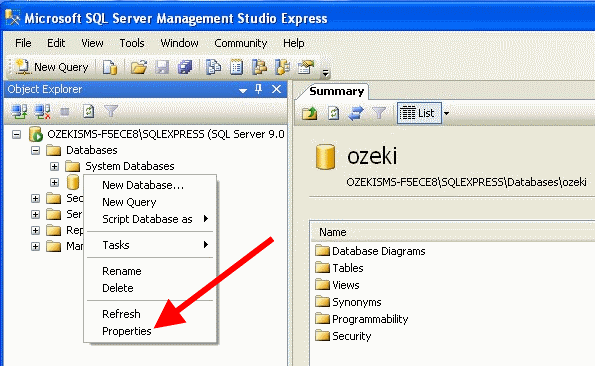
Start MSSQL Server Management Studio. Click on the database to be configured and select Properties (Figure 1).
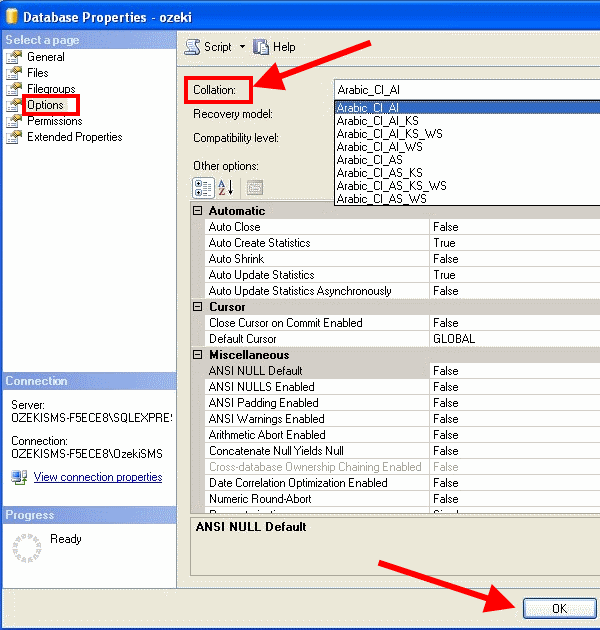
Then click on Options in the menu. In Collation section you can select the types of characters you want the database to accept. In this example I selected Arabic CI AI (Figure 2).
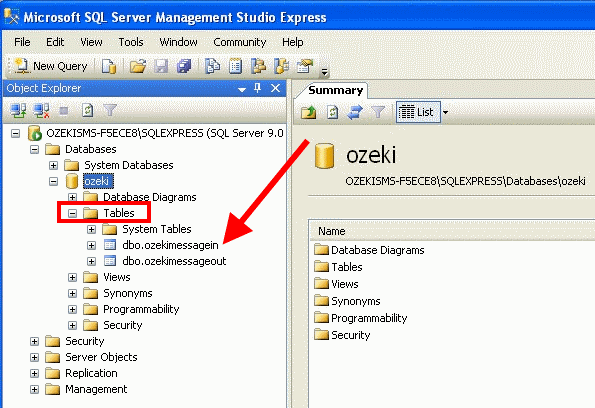
Now in Tables section right click on ozekimessagein table and select Modify (Figure 3).
Set msg field to nvarchar (Figure 4).
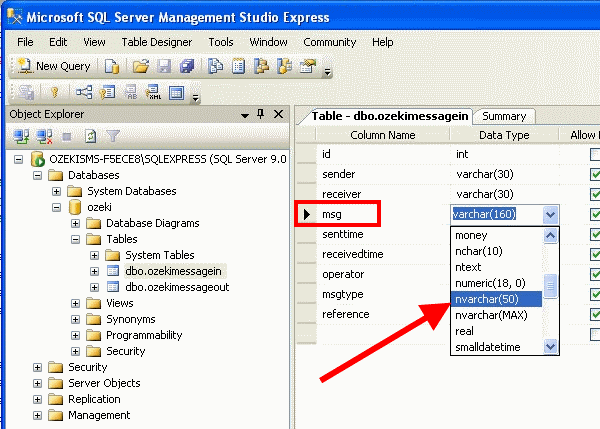
Increase the size of messages from (50) to (160) and Save settings (Figure 5).
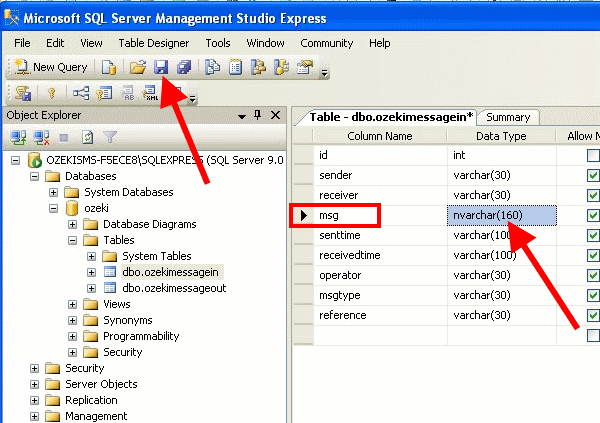
Now do the same process with ozekimessageout table. So you need to right click on ozekimessageout table, select Modify, set msg field to nvarchar, increase size to (160) and save the changes.
Test
I created a test message containing Unicode characters (Arabic has been selected) and inserted it into ozekimessageout table (Figure 6).

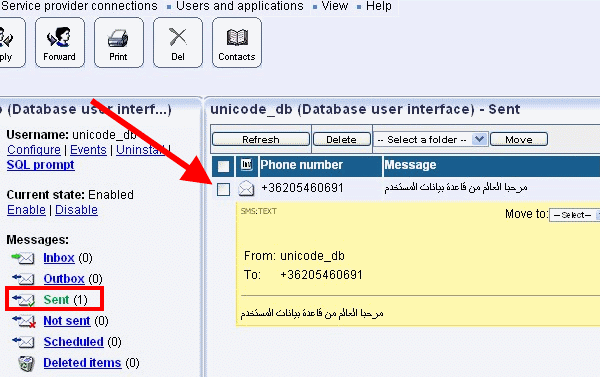
On Figure 7 you can see that Ozeki NG SMS Gateway sent out the test message (Figure 7)
More information